Track your online fashion order: 2026 guide
Tracking your online fashion order is the process of using retailer accounts, order numbers, and carrier tracking codes to monitor your parcel’s delivery status from dispatch to doorstep. Whether you’ve just snagged a chic new dress from Indy Love or stocked up on must-have basics, knowing how to track fashion orders online saves you from unnecessary stress and missed deliveries. This guide covers every step of fashion order status tracking, from the identifiers you need to keep safe, to troubleshooting stalled updates and managing split shipments across Australia.
What information do you need to track your online fashion order?
Successful fashion shipment tracking starts with having the right identifiers on hand before you even open a tracking page. Retailers require specific details to verify your order, and missing even one can lock you out of your status update.
The key identifiers you need are:
- Order number. This appears in your order confirmation email. It is the primary reference for every tracking query.
- Email address used at purchase. Retailers match this to your account record. Use the exact address, including capitalisation.
- Billing postcode. Some retailers, including Calvin Klein, require order number, email, and shipping postcode to display tracking details. Australian boutiques often follow the same pattern.
- Tracking number. This arrives in a separate shipping confirmation email once your order has been dispatched. It is different from your order number and links directly to the carrier’s system.
- Retailer account login. If you created an account at checkout, logging in is the fastest path to your order history and all associated tracking numbers.
Exact order identifiers must match retailer records for tracking to work. A single typo in your email address or postcode will return no results.
Pro Tip: Save your order confirmation email and shipping confirmation email in a dedicated folder. Label it with the retailer name and order number so you can retrieve identifiers instantly without searching your inbox.
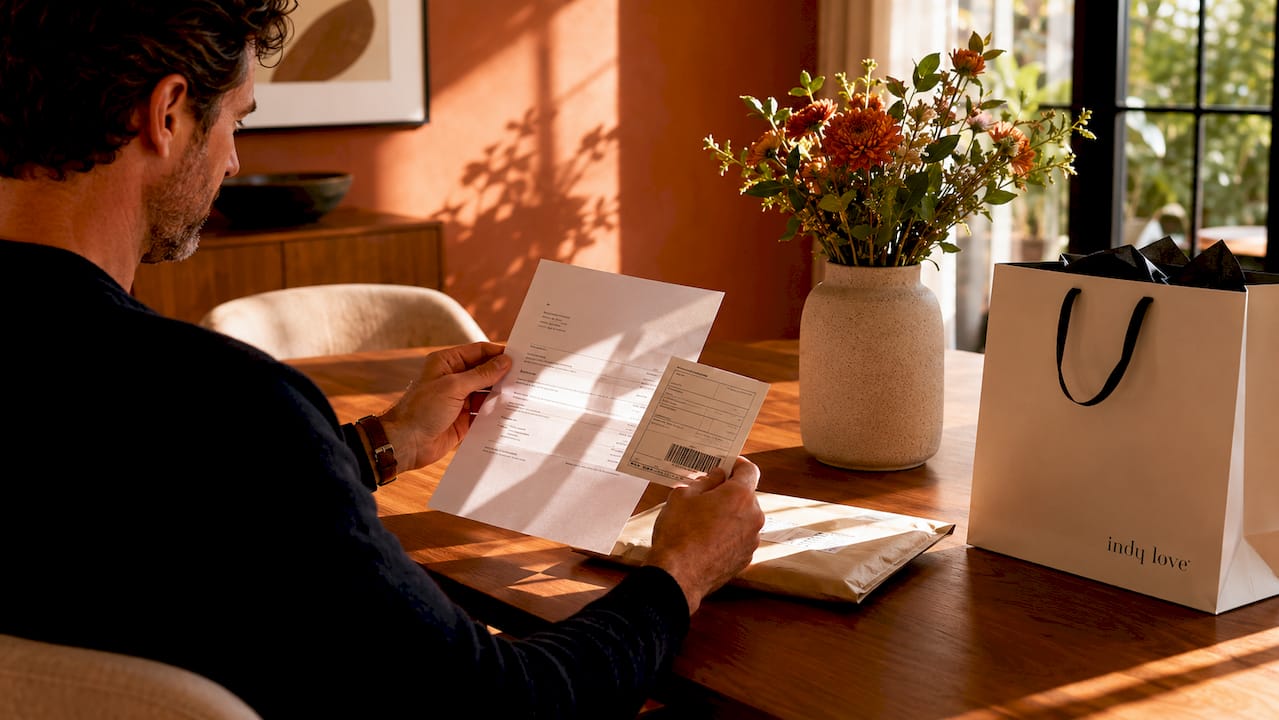
Retailers like Lane Bryant use order number and email address for orders placed within the last 30 days. Australian retailers follow similar flows, so the same discipline applies whether you’re shopping locally or from international fashion brands.
How do you track your fashion order through retailer portals and courier websites?
The fastest way to check your order status is through the retailer’s own website or app. Carrier websites give you parcel movement details, but the retailer portal gives you the full picture, including item names, estimated delivery dates, and return options.
Follow these steps to track your clothing order from purchase to delivery:
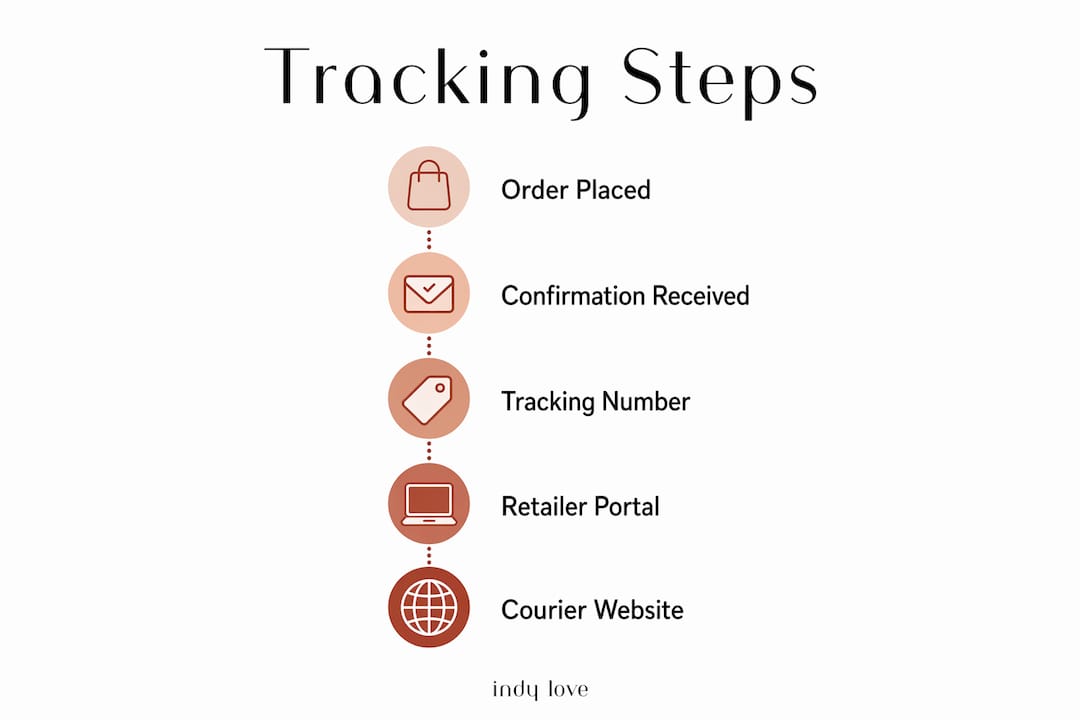
- Log in to the retailer’s website or app. Go to your account and select “My Orders” or “Order History.” This page lists every order you have placed, with current status shown alongside each one.
- Locate your tracking number. Your shipping confirmation email contains a tracking number from the delivery partner. Copy it exactly, including any letters or hyphens within the number itself.
- Visit the carrier’s tracking page. Australian carriers such as Australia Post, Sendle, and CouriersPlease each have a tracking portal. Paste your tracking number into the search field to see the latest scan events.
- Use a universal tracker for consolidated updates. Tools like 17track and ParcelPlus aggregate tracking data from multiple carriers into one view. This is particularly useful when you are not sure which carrier your retailer used.
- Enable push notifications. Most retailer apps and some carrier apps offer push alerts for status changes. Turning these on means you receive an alert the moment your parcel moves to “Out for Delivery,” so you are ready to receive it.
Tesco’s guidance confirms that tracking via the retailer account portal or app, combined with the delivery partner tracking number from the confirmation email, is the quickest method. The same two-step approach applies across virtually every online fashion retailer in Australia.
If you shop using a guest checkout, you will not have an account login. In that case, rely entirely on your confirmation email for the order number and your shipping email for the tracking number. Keep both emails accessible until your parcel arrives.
Why is your tracking status not updating?
A stalled tracking status is the most common concern shoppers raise after placing a fashion order. The good news is that most gaps are normal and do not mean your parcel is lost.
Key reasons your tracking may appear frozen:
- Label created, not yet dispatched. This status means the retailer has generated a tracking record, but the physical parcel has not yet been handed to the carrier. A “label created” status means the parcel isn’t physically with the carrier yet and no scans have occurred.
- Scan gaps between hubs. Parcels travel between sorting facilities without being scanned at every point. A gap of 24–48 hours between scan events is common and does not indicate a problem.
- Weekend and public holiday delays. Australian carriers do not always scan on weekends. A parcel accepted on a Friday may not show movement until monday.
- High volume periods. During sales events like Black Friday or end-of-season clearances, carrier networks process higher volumes, which slows scan frequency.
Waiting 24–48 hours and cross-checking multiple tracking sources is the recommended first step before escalating any tracking concern.
Pro Tip: If your tracking has shown “label created” for more than 48 hours with no further scan, contact the seller first. The seller can confirm whether the parcel has physically left their warehouse. Only escalate to the carrier once the seller confirms dispatch.
Contact the seller first for “label created” cases before reaching out to the carrier. The carrier has no record of your parcel until it physically enters their network, so they cannot assist until a scan event has occurred.
How do split shipments affect fashion order tracking?
Larger fashion orders frequently arrive in multiple parcels, each with its own tracking number and delivery timeline. This is called a split shipment, and it catches many shoppers off guard when part of their order arrives days before the rest.
| Scenario | What it means | What to do |
|---|---|---|
| One tracking number delivered, one pending | Items shipped in separate parcels | Check retailer portal for all tracking numbers |
| Order shows “delivered” but items missing | Part of order delivered, rest in transit | Confirm each parcel’s status individually |
| Two tracking numbers, different carriers | Retailer used multiple fulfilment partners | Track each number on the relevant carrier site |
| Estimated dates differ across parcels | Each parcel has its own delivery window | Monitor each tracking number separately |
Retailer order history lists all shipments and prevents shoppers from assuming the entire order is delayed when only one parcel is behind schedule. This is the clearest advantage of using the retailer portal over carrier-only tracking. Carrier websites only show the parcel you searched for. They have no visibility over other parcels in the same order.
Multi-parcel orders mean each tracking number has separate timing and delivery dates. Treat each parcel as an independent shipment and monitor them individually. If you ordered three items and only two arrive, check the retailer portal before contacting support. The third parcel may simply be on a different schedule.
What are the best tips for managing and escalating fashion order tracking?
Efficient fashion order tracking is a workflow, not a constant refresh. Shoppers who treat it as a structured process avoid most of the frustration that comes with online clothing orders.
Store your identifiers safely. Save your order confirmation email and shipping confirmation email as soon as they arrive. Screenshot the order number and tracking number if you prefer a visual reference. Keeping shipping confirmation emails separate from general inbox clutter prevents you from losing critical details.
Use notifications instead of manual checking. Push notifications help close the gap between “Out for Delivery” and “Delivered,” which is the window most missed deliveries occur in. Enable alerts on both the retailer app and the carrier app where possible.
Build a stage-aware escalation plan. Your response depends on the last tracking event:
- Label created, no movement after 48 hours. Contact the seller to confirm dispatch.
- Accepted by carrier, no movement after 72 hours. Contact the carrier with your tracking number.
- Exception or failed delivery status. Contact the carrier immediately and arrange redelivery or collection.
- No tracking number received after 5 business days. Contact the seller to request the shipping confirmation.
Cross-check on multiple platforms. If your carrier’s website shows no update, try the same tracking number on 17track or ParcelPlus. Different platforms refresh their data at different intervals, so one may show a more recent scan than another.
Pro Tip: Set a calendar reminder for your estimated delivery date. If the parcel has not arrived and tracking shows no movement, that reminder prompts you to escalate at the right time rather than checking obsessively every hour.
Learning how to shop online fashion sales smartly also reduces tracking headaches. Ordering during peak sale periods means higher carrier volumes and longer gaps between scan events. Factoring that in sets realistic expectations from the start.
Key takeaways
Efficient fashion order tracking requires the right identifiers, the retailer portal as your primary tool, and a stage-aware escalation plan to resolve issues without unnecessary stress.
| Point | Details |
|---|---|
| Collect identifiers immediately | Save your order number, email, postcode, and tracking number as soon as confirmation emails arrive. |
| Use the retailer portal first | Retailer order history shows all parcels and shipment details, giving more context than carrier-only tracking. |
| Understand “label created” status | This means the parcel has not yet entered the carrier network. Wait 48 hours, then contact the seller. |
| Monitor split shipments individually | Each parcel in a multi-item order has its own tracking number and delivery date. |
| Escalate in stages | Contact the seller first, then the carrier, based on the last recorded tracking event. |
What I’ve learnt from years of tracking fashion orders in Australia
The biggest mistake I see shoppers make is going straight to the carrier the moment tracking stalls. Carriers cannot help until they have physically scanned your parcel. Contacting them before that point wastes your time and theirs.
The retailer portal is consistently underrated. Shoppers default to the carrier’s website because the tracking number feels like the most direct route. But the retailer portal shows you the full order picture, including which items are in which parcel and when each one is expected. For split shipments especially, it is the only tool that prevents unnecessary panic.
Australian shipping has its own quirks. Regional deliveries, particularly to areas outside major cities, often show longer scan gaps simply because parcels travel through fewer hubs. A parcel heading to regional Queensland or rural Western Australia may sit quietly for two days before its next scan. That is not a problem. It is geography.
My honest advice is to check once a day, use push notifications, and resist the urge to contact support before the 48-hour mark. Most tracking issues resolve themselves within that window. When they don’t, a calm and structured escalation, starting with the seller, gets results far faster than a frustrated message to the carrier.
If you want to reduce tracking stress from the start, understanding fit guides for buying dresses online helps you order with more confidence and fewer returns, which means fewer parcels to track in the first place.
— Helen
Your next chic order is waiting at Indy Love
Indy Love is an Australian online fashion boutique built for women who want trendy, affordable clothing delivered fast across Australia. Every order comes with a confirmation email containing your order number and a shipping confirmation with your tracking number, so you have everything you need to monitor your delivery from day one.
Log in to your Indy Love account to access your order history and track every parcel in one place. Free shipping applies to orders over $150, making it easy to build a full look without the extra cost. From the stunning Cartel Mini Dress to everyday wardrobe staples, your next must-have piece is ready to shop now.
FAQ
What details do I need to track my fashion order online?
You need your order number, the email address used at purchase, and sometimes your billing postcode. A tracking number from your shipping confirmation email is also required to check progress on the carrier’s website.
Why does my tracking say “label created” with no movement?
“Label created” means the retailer has generated a tracking record but the parcel has not yet been handed to the carrier. Wait 48 hours. If there is still no scan, contact the seller to confirm the parcel has been dispatched.
How do I track a split shipment from one fashion order?
Log in to the retailer’s website and check your order history. Each parcel in a split shipment has its own tracking number and estimated delivery date listed separately. Monitor each tracking number individually on the carrier’s website.
When should I contact the carrier versus the seller?
Contact the seller first if your tracking shows “label created” with no movement after 48 hours. Contact the carrier directly once the parcel has been accepted into their network and movement has stalled for more than 72 hours.
Can I use a universal tracker for Australian fashion orders?
Yes. Tools like 17track and ParcelPlus support Australian carriers including Australia Post and Sendle. They are useful when you are unsure which carrier your retailer used or when you want to monitor multiple parcels in one place.